The cut
Split a block, drag it, trim it, change its speed. Take a piece out and the rest ripples up, with the spoken lines that belong to it. Undo goes back a hundred steps and carries the blocking script with it.
StageMaster reads your narration, drives your screen on a measured schedule, cuts the timeline, and publishes to YouTube. The demo on this page filmed itself.
No human touched the mouse during recording. StageMaster read the script, drove the interface, cut the takes, and published the file.
Narrated by {{VARIANT_NAME}}. Generated entirely from text. · 50 Cent
Built for developers and solo founders who want to stop recording demos by hand. Leave your email to receive a download link when access opens.
No marketing campaigns. Only a direct link when the build is ready.
A production is two texts. The narration says what is spoken. Screen behaviour lives
apart from it in blocking.stage: one action to a line, grouped under named
cues, anchored to the start or the end of whatever spoken line it belongs with. An agent
can write both files.
The Script page at full width. blocking.stage in the left pane with cue blocks and comments, the lines in the right pane, the cast bar along the bottom.
Each line goes to the voice you cast for it and comes back measured. The real length of the speech is known before anything moves on the screen, so the film is timed to what was said. A line with no action anchored to it holds the screen still.
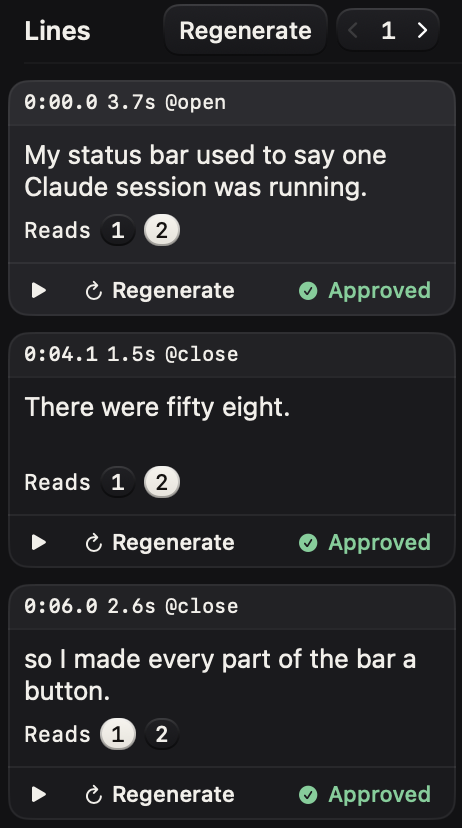
The line rail during a render. One line mid-render with its cast name and rate on the row, and the measured duration landing when it finishes.
A slate states the production, a countdown runs, and the take rolls. The runner moves the pointer, clicks, types, sends keys and scrolls to the compiled schedule. Capture is scoped to one app window, so your menu bar, your other windows and your notifications stay out of frame by construction.
The shoot. The slate or the countdown over the target window, with the rolling clock in the menu bar. A frame that shows the Mac being driven.
The take lands in an editor with lanes for the screen, the actions, the voice, the music and your own labels. The waveforms are the real audio. Split a block at the playhead, take a piece out, and what follows slides up with the lines that belong to it. Footage on disk is never touched, because a cut is an edit to JSON.
The Edit page with the timeline dock open. Cue sections across the top, the take block and its filmstrip, voice waveforms, the red playhead through every lane.
ffmpeg trims the chosen take, puts each line of narration where it belongs, mixes the music and writes one MP4. Subtitles burn into the picture when you ask for them. An upload sheet carries the title, the description, the tags and a visibility setting that starts at private.
The export sheet mid-mux with ffmpeg progress, or the YouTube sheet with its metadata fields and the finished link.
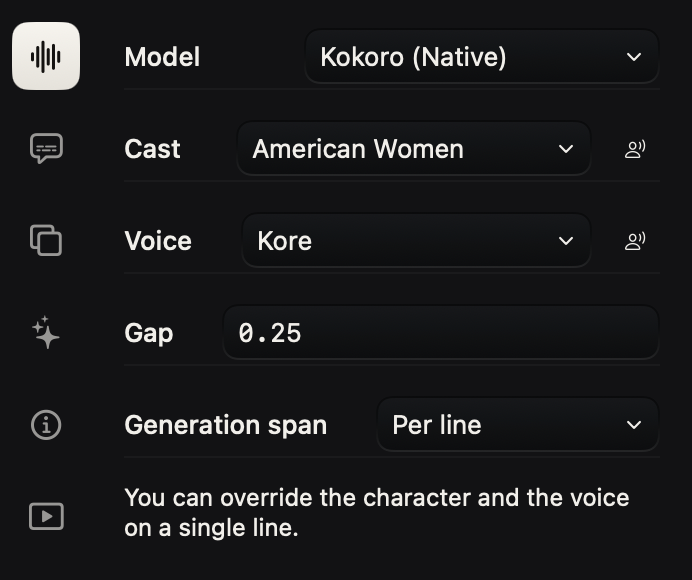
A cast of cloned voices reads your script line by line. You cast the production once, and any single line can go to a different voice when it needs one. Speaking rate is per line as well.
Type a line of your own, audition a voice on it, and keep the audition to compare against later. When a reading comes back wrong, ask for more reads of that one line, up to eight, and keep the one that sounds right. The others stay on disk.
A line whose text changed since it was last spoken is marked, so you can always tell which audio is current. Each recording remembers who said what.
The voice is computed on this Mac, and it holds about 3.2 GB of memory while it speaks.
The casting room. The voice list for one character, the prompt field, an audition playing, and the button that casts it.
Split a block, drag it, trim it, change its speed. Take a piece out and the rest ripples up, with the spoken lines that belong to it. Undo goes back a hundred steps and carries the blocking script with it.
Push into a corner of the frame and pull back out. Aim it with a rectangle on the monitor, set how far it goes, and pick a smooth move or a spring. The push is drawn at export, so the footage keeps its own pixels.
The picture sits inside the frame on a background you choose, with rounded corners and a shadow under it. Eight wallpapers ship. A flat colour works, and so does an image of your own.
The running app hosts a loopback NDJSON server with 166 verbs. Every action a person can take has one, so an agent can open a production, change a line, roll a take, read the timeline and export the film without looking at a single pixel. It can also ask for every control on screen by id, role and label. Discovery is a 0600 file with a token that lasts one launch.
stagemasterctl lines --json stagemasterctl line.play id=l1 stagemasterctl export.flow
Subtitles come from the narration, so there is nothing to transcribe. Drag one on the monitor to place it, pick its face and size, and it burns into the picture on export.
Set the title, the description, the tags and the visibility, then send the MP4 from the app. A broken upload resumes. Visibility starts at private.
Every save writes a new file and leaves the old ones where they are. Point head at any version to work from it. A diff between two versions reads as intent, and a deleted recording goes to a trash that gives it back.
JSON, the blocking script, the rendered audio, the takes, the export. You can read it, diff it, back it up, and hand it to an agent.
macOS 14 or later · Screen Recording and Accessibility · ffmpeg for export · a cloned-voice cast installed on this Mac
Pricing details will be announced when public access begins.